Why Your Website Isn't Showing Up on Google (And How to Fix It)
You built a beautiful website. You launched it weeks ago. You search for your business name on Google, and… nothing. Or maybe you appear on page 7, buried beneath directories and competitors you have never heard of.
This is one of the most common frustrations I hear from small business owners. You invested time and money into your website, but Google seems to have no idea it exists.
The good news? This is usually fixable. Most websites that are not showing up on Google have one of a handful of common issues. Once you identify and address them, you can get indexed and start working your way up the rankings.
Here is what is actually happening when your website is not on Google, and the specific steps to fix it.
Common Indexing Issues (And How to Spot Them)
Before you can fix the problem, you need to understand why Google is not showing your site. These are the most common culprits.
Your Site Is Too New
If you launched your website in the last few days, Google probably just has not found it yet. Google’s crawlers discover new websites by following links from other sites, checking sitemaps, or finding references across the web. If your site has no external links pointing to it yet, Google might not know it exists.
How to check: Go to Google and type site:yourdomain.com (replace with your actual domain). If you see zero results, Google has not indexed your site yet.
The fix: This usually resolves itself within a few days to a couple weeks, but you can speed it up by submitting your site directly through Google Search Console (more on that below).
You Are Blocking Google Accidentally
This is more common than you would think. Your website might have a noindex tag telling Google not to show it, or your robots.txt file might be blocking crawlers entirely.
How to check:
- Look at your page source (right-click > View Page Source) and search for
noindex. If you see<meta name="robots" content="noindex">, that page is telling Google to stay away. - Check your robots.txt file by going to
yourdomain.com/robots.txt. Look for lines that sayDisallow: /which would block everything.
The fix: Remove the noindex tag from pages you want indexed, and fix your robots.txt to allow crawlers. Most website builders and content management systems have settings for this — sometimes accidentally enabled.
Your Site Has Technical Problems
Google’s crawlers need to access and understand your website. If your site is broken, slow, or has server errors, Google might give up before indexing it properly.
Common technical issues include:
- Server errors (500 errors) when Google tries to crawl
- Pages that take longer than 5 seconds to load
- Broken links and 404 errors throughout the site
- Duplicate content that confuses Google about which page to rank
How to check: Use Google Search Console’s Coverage report (free). It will tell you exactly what problems Google encountered when trying to crawl your site.
The fix: Fix the specific errors Google reports. Usually this means repairing broken links, improving page speed, or resolving server issues with your hosting provider.
Your Content Is Too Thin
Google does not want to send people to empty or useless pages. If your website has only a few sentences per page, or if the content is generic copy that exists on thousands of other sites, Google might decide your site is not worth indexing.
How to check: Look at your main pages honestly. Does each page provide genuine value to a visitor? Or is it placeholder text, sparse descriptions, or generic fluff?
The fix: Add substantial, helpful content to your pages. Each page should thoroughly answer the question or address the topic it covers. Aim for at least 300-500 words of original content on important pages.
You Have No Authority Signals
Google uses links from other websites as a trust signal. If no other sites link to yours, and your domain is brand new, Google might not trust you enough to rank you yet.
This is the hardest issue to fix quickly, but it is also the most important long-term factor.
How to check: Use a free tool like Ubersuggest or Moz’s Link Explorer to see if any websites link to yours.
The fix: Create content worth linking to, and build relationships in your industry. Guest posting, being helpful in online communities, and creating genuinely useful resources all earn links over time.
Setting Up Google Search Console (The Right Way)
Google Search Console is the single most important free tool for understanding why your website is not on Google. If you have not set this up yet, stop everything and do it now. It takes 10 minutes and gives you direct insight into how Google sees your site.
Step 1: Verify Your Website
Go to search.google.com/search-console and sign in with a Google account.
Click “Add Property” and enter your domain (just yourdomain.com, not www.yourdomain.com). Google will give you several verification options:
DNS verification (recommended): Add a TXT record to your domain’s DNS settings. This proves you own the domain and gives you access to all subdomains automatically. You will need to log into wherever you manage your domain (GoDaddy, Namecheap, Cloudflare, etc.) and add the record Google provides.
HTML file upload: Download a file from Google and upload it to your website’s root directory. This works if you have direct file access.
HTML tag: Add a meta tag to your homepage. This works with most website builders and content management systems.
Google Analytics or Tag Manager: If you already have either of these set up, you can verify instantly.
Step 2: Submit Your Sitemap
A sitemap is a file that tells Google about all the pages on your website. Most website platforms generate one automatically.
Common sitemap locations:
yourdomain.com/sitemap.xmlyourdomain.com/sitemap_index.xmlyourdomain.com/sitemap
In Google Search Console, go to Sitemaps in the left sidebar. Enter your sitemap URL and click Submit. Google will now know about all your pages and will crawl them more efficiently.
If you do not have a sitemap, create one. Most CMS platforms (WordPress, Shopify, Wix, Squarespace) generate them automatically or have plugins to create them. If you have a custom site, use a free sitemap generator tool.
Step 3: Check the Coverage Report
Once verified, click Coverage in the left sidebar. This shows you exactly which pages Google has indexed and which ones have problems.
Look for:
- Valid: Pages Google has successfully indexed
- Valid with warnings: Pages indexed but with issues
- Excluded: Pages Google chose not to index
- Error: Pages Google could not crawl due to technical problems
Click into each category to see specific pages and the reasons. This is where you will find out if Google is hitting errors, if pages are blocked by robots.txt, or if content is being excluded for quality reasons.
Checking Your robots.txt File
Your robots.txt file lives at yourdomain.com/robots.txt and tells search engine crawlers which parts of your site they can and cannot access. When configured wrong, it can accidentally block your entire site from Google.
What a Good robots.txt Looks Like
User-agent: *
Disallow: /admin/
Disallow: /private/
Sitemap: https://yourdomain.com/sitemap.xml
This says: “All search engines can crawl everything except the /admin/ and /private/ folders. Here is our sitemap.”
What a Problematic robots.txt Looks Like
User-agent: *
Disallow: /
This says: “All search engines, do not crawl anything.” It blocks your entire site.
How to Fix It
- Go to
yourdomain.com/robots.txt - Look for any lines that say
Disallow: /(the slash means “everything”) - If you see that and want your site indexed, remove it or change it to only block specific folders
- Make sure you have a line pointing to your sitemap
Most content management systems manage robots.txt automatically, but sometimes a plugin or developer accidentally blocks more than intended.
Realistic Timeline: How Long Until You Show Up?
This is the question everyone wants answered. Here are realistic timelines based on what you are trying to achieve.
Getting Indexed: 3 Days to 4 Weeks
If your site is new but technically sound, Google will usually find and index it within a few days to a couple weeks. Submitting through Search Console speeds this up significantly.
You will know you are indexed when site:yourdomain.com returns results.
Ranking for Your Brand Name: 1 to 4 Weeks
Once indexed, you should start appearing when people search for your exact business name. If your name is unique, this happens quickly. If your name is generic (like “Smith Plumbing”), it might take longer and require more authority signals.
Ranking for Local Keywords: 2 to 6 Months
If you are a local business optimizing for “service + city” keywords (like “plumber in Denver”), expect 2-6 months of consistent work before you appear on page one. This assumes you are actively doing local SEO: optimizing your Google Business Profile, getting reviews, building local citations, and creating relevant content.
Ranking for Competitive Keywords: 6 to 12+ Months
For broader, more competitive keywords, expect 6-12 months minimum. These take time because you are competing against established sites with years of authority building. Success requires consistent content creation, link building, and technical optimization.
The Brutal Truth About SEO Timelines
SEO is not a switch you flip. It is momentum you build. The first few months often feel like nothing is happening. Then you start seeing small improvements. Then those improvements compound.
Businesses that give up after 2 months never see results. Businesses that stick with it for 6-12 months often see transformational growth.
What to Do If You Still Are Not Showing Up
If you have fixed the technical issues, submitted your sitemap, waited a reasonable time, and still are not appearing, here is your troubleshooting checklist.
1. Check for Manual Actions
In Google Search Console, go to Security & Manual Actions > Manual Actions. If Google has penalized your site for violating guidelines, it will show here. This is rare for new sites but worth checking.
2. Look for Indexing Patterns
In the Coverage report, look for patterns. Are all your blog posts indexed but your product pages are not? Are your pages being crawled but not indexed? The pattern tells you what to fix.
Pages crawled but not indexed usually mean Google did not find the content valuable enough. Pages not crawled at all usually mean technical or discovery issues.
3. Test Your Core Web Vitals
Go to pagespeed.web.dev and test your homepage. If you are scoring below 50 on mobile, technical performance might be holding you back. Fix the issues it identifies.
4. Audit Your Content Quality
Be honest: is your content genuinely helpful? Or is it thin, generic, or copied from elsewhere? Google has become very good at identifying low-value content. Rewrite or expand pages that do not provide real value.
5. Build Some Initial Authority
If your site is brand new with zero external links, you might be stuck in the “Google does not trust you yet” phase. Get your first links by:
- Adding your site to relevant directories
- Creating social media profiles that link to your site
- Reaching out to partners or suppliers for links
- Guest posting on industry blogs
- Being genuinely helpful in online communities
You do not need hundreds of links. A handful of legitimate links from relevant sites can get you out of the authority basement.
When to Get Professional Help
Some indexing issues require technical expertise to diagnose and fix. Consider hiring an SEO professional if:
- You have tried the steps above and your site still is not indexed after 2 months
- You are seeing error messages in Search Console you do not understand
- Your site has complex technical issues (multiple redirects, JavaScript rendering problems, complex URL structures)
- You are in a competitive industry and need a comprehensive strategy, not just indexing fixes
The cost of professional help varies widely, from a few hundred dollars for a one-time audit to ongoing monthly retainers. For a basic indexing issue, you should not need ongoing help. A one-time technical fix is often enough.
If you are looking for professional help, check out our SEO services. We specialize in helping small businesses get found on Google without the technical jargon.
The Bottom Line
Getting your website on Google is not magic. It is a series of checkboxes:
- Make sure Google can actually access your site (no blocking robots.txt or noindex tags)
- Set up Google Search Console and submit your sitemap
- Fix any technical errors Google reports
- Create content worth indexing (substantial, original, helpful)
- Wait (the hardest part)
Most websites that are not on Google are missing one of the first four steps. Once you address them, indexing usually follows within days or weeks.
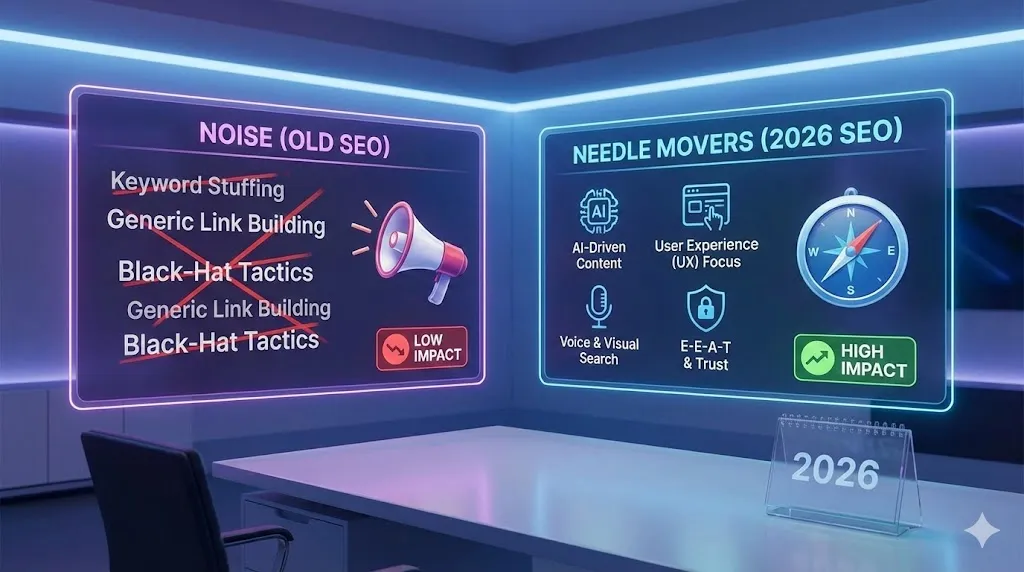
If you want to understand what comes next — after you are indexed and want to start ranking higher — read my guide on SEO in 2026: what actually moves the needle. It covers the strategies that work for improving your rankings once you are in Google’s index.
And remember: being indexed is just the beginning. Getting found for the keywords that matter to your business is where the real work begins. But you cannot rank if you are not indexed, so start with these fundamentals and build from there.
Need help getting your website on Google? Contact us for a free consultation. We will diagnose why your site is not showing up and give you a clear plan to fix it.
Gustavo Vasquez helps small businesses and entrepreneurs improve their online visibility through practical, jargon-free SEO guidance.

Written by Gustavo Vasquez
Web developer and digital marketing consultant helping small businesses get online. 15+ years of tech experience, bilingual (English/Spanish).
Book a free consultationRelated Articles
SEO in 2026
Google's AI Overviews have changed everything. Learn what actually works for SEO in 2026, from E-E-A-T signals to technical fundamentals, and what you can safely ignore.

Onraa SEO Case Study
A real case study of building SEO foundations for a new sportswear brand. Learn the exact steps I took to set up Google Search Console, optimize for local search, and create content that ranks.

What is SEO?
SEO explained in simple terms. Learn what search engines actually look for, the difference between on-page and off-page SEO, and free tools you can use today.
Need help with your project?
Whether it's SEO, a new website, or fixing bugs - I can help.
Get in Touch